THE MOMENTLOG FIELD GUIDE
How to organize and find your video journal entries
Use spoken context, Timeline search, and AI summaries to revisit video diaries. Understand the difference between local originals, AI text, and cloud backup.
Give each recording a recognizable clue
As your journal grows, it becomes easier to remember recording something without remembering where it is. Say the event, person, or place aloud while filming. Use a consistent name for a continuing topic: “balcony tomatoes” is more useful than calling it “that thing” every time. This is a recording habit, not a claim that the app recognizes every face or scene.
Narrow the search in Timeline
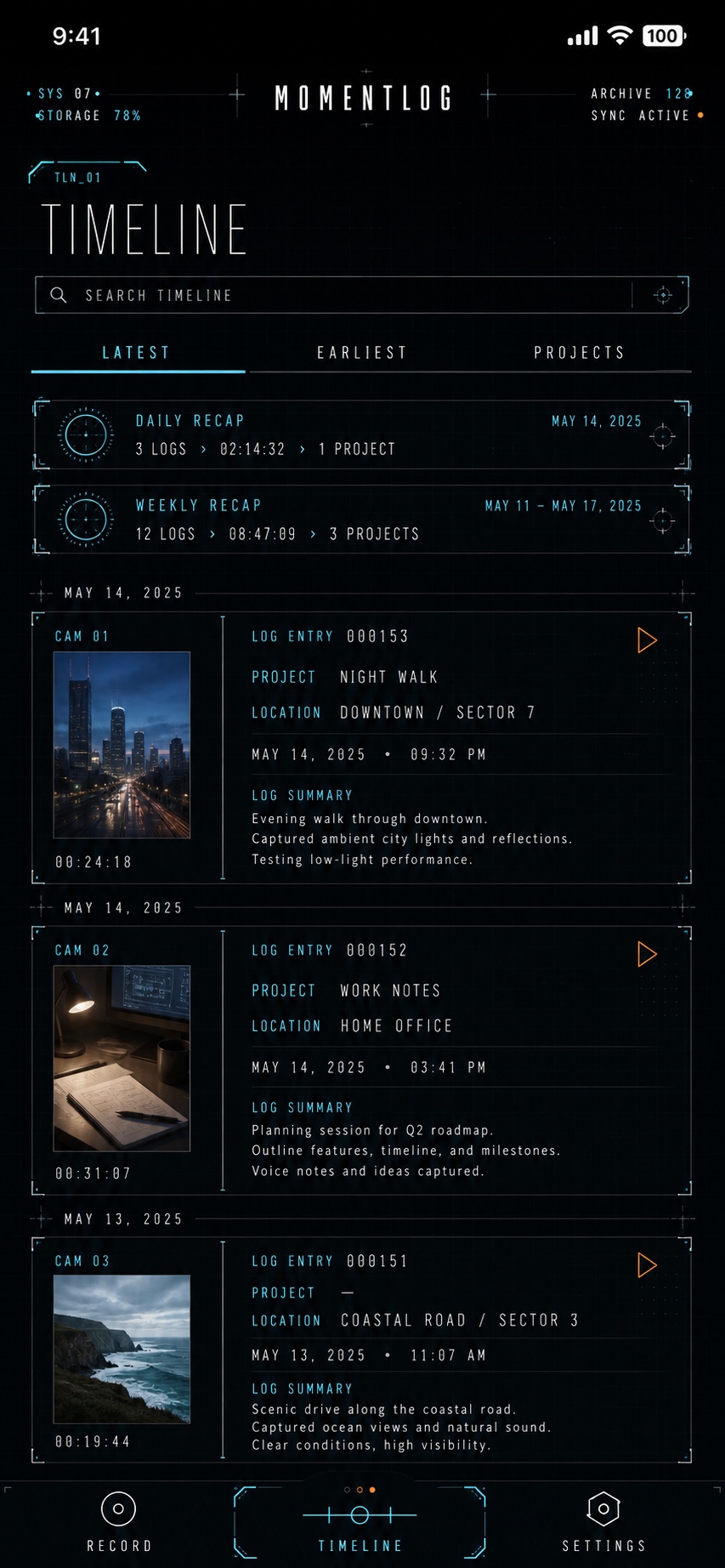
Open MomentLog’s Timeline, return to roughly the right period, and try a word you remember. To find your gardening entries, start with “tomatoes,” then try another concrete term you used. Results depend on the text, metadata, and generated transcripts available for your entries. An unanalyzed video does not automatically have a complete transcript to search.
Use a summary to choose what to replay
An AI summary can help you recognize the subject before opening a video. Replay the original when exact wording or full context matters. MomentLog’s AI processes audio, so clear speech, spoken context, and avoiding overlapping voices can help. It does not provide complete visual interpretation of silent footage. AI requires sign-in, network access, and available account allowance.
When an entry does not appear, check what is ready
First confirm that you are using the correct account, then check whether the entry’s AI analysis has finished. A local video and its not-yet-generated AI text can be in different states. While analysis is pending or has failed, revisit the original by date. If transcript search reports a network error, follow the displayed guidance; a search failure is not evidence that the video is gone.
Review a few entries each week
Set aside a short time to revisit three to five meaningful recordings. What happened next? Which question remains open? What would you like to record next week? This is a manual review routine. It does not mean that every free account includes all periodic Recap or cloud recovery features.
Treat organization and backup as separate jobs
Summaries help you understand content; backups protect your originals. MomentLog’s local Archive keeps original videos, while an export with a HUD is a derived copy. Personal cloud video and cross-device recovery depend on an eligible paid entitlement. A free sign-in is not a cloud video backup. Before deleting local files or changing devices, confirm that you have an independent copy of the originals you need, or that the relevant cloud videos have actually finished syncing.